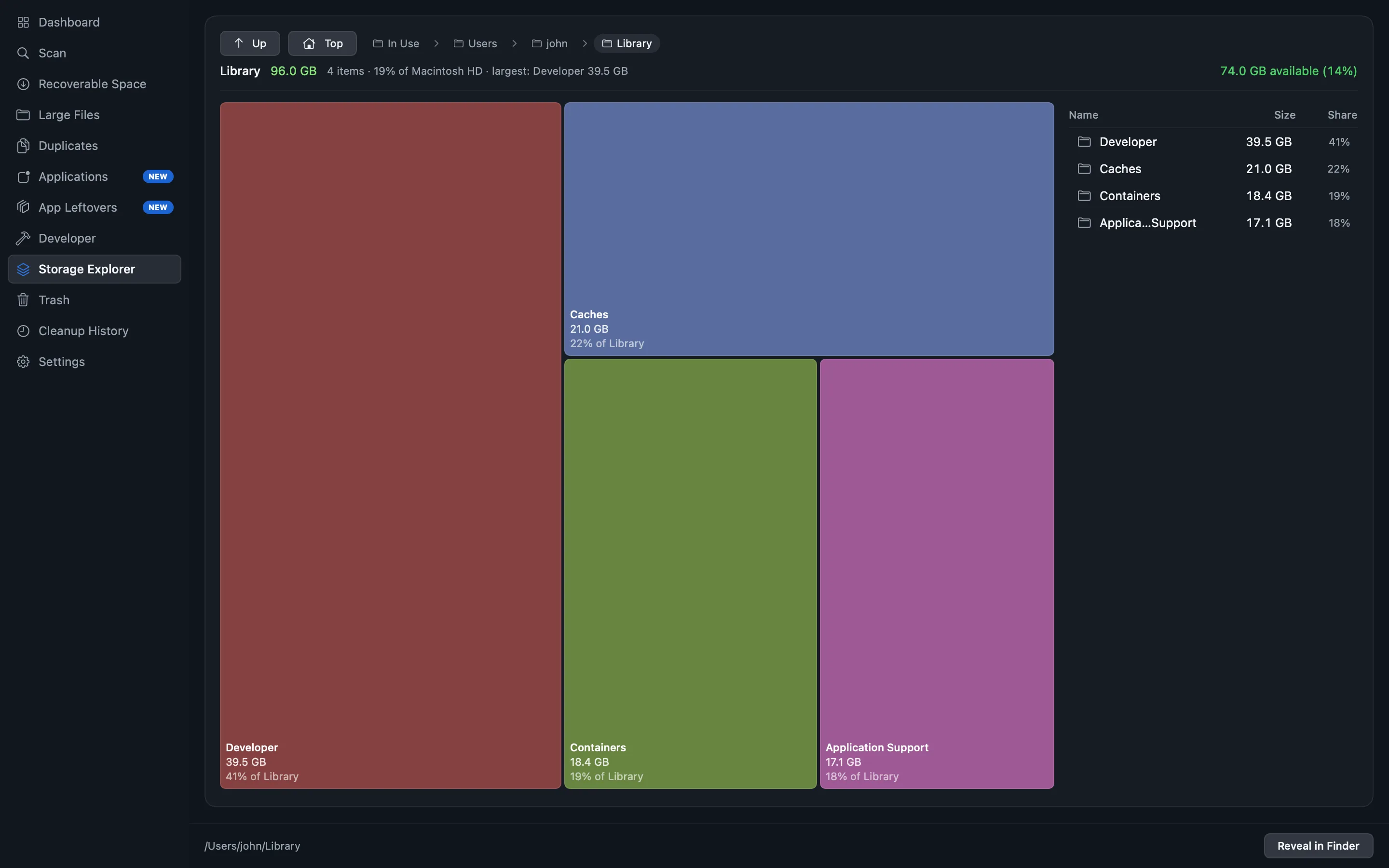
A treemap of the whole tree
Every folder drawn at the size it actually occupies. Big things look big. Click to descend, and the way back up stays visible.
A native macOS storage analyser that measures every folder, draws the whole tree as a treemap, and finds duplicates by comparing file contents rather than names. Nothing is removed unless you select it, and everything it removes can be put back.
macOS 13 Ventura or later · Apple silicon and Intel


Click a screen to open it full size.
What it does
Most disk cleaners lead with a number they want you to click. This one leads with where the space actually went, and lets you decide what happens next.
Every folder drawn at the size it actually occupies. Big things look big. Click to descend, and the way back up stays visible.
Copies are found by hashing the bytes, not by comparing names. A renamed photo is still caught; two different files that share a name are not called copies.
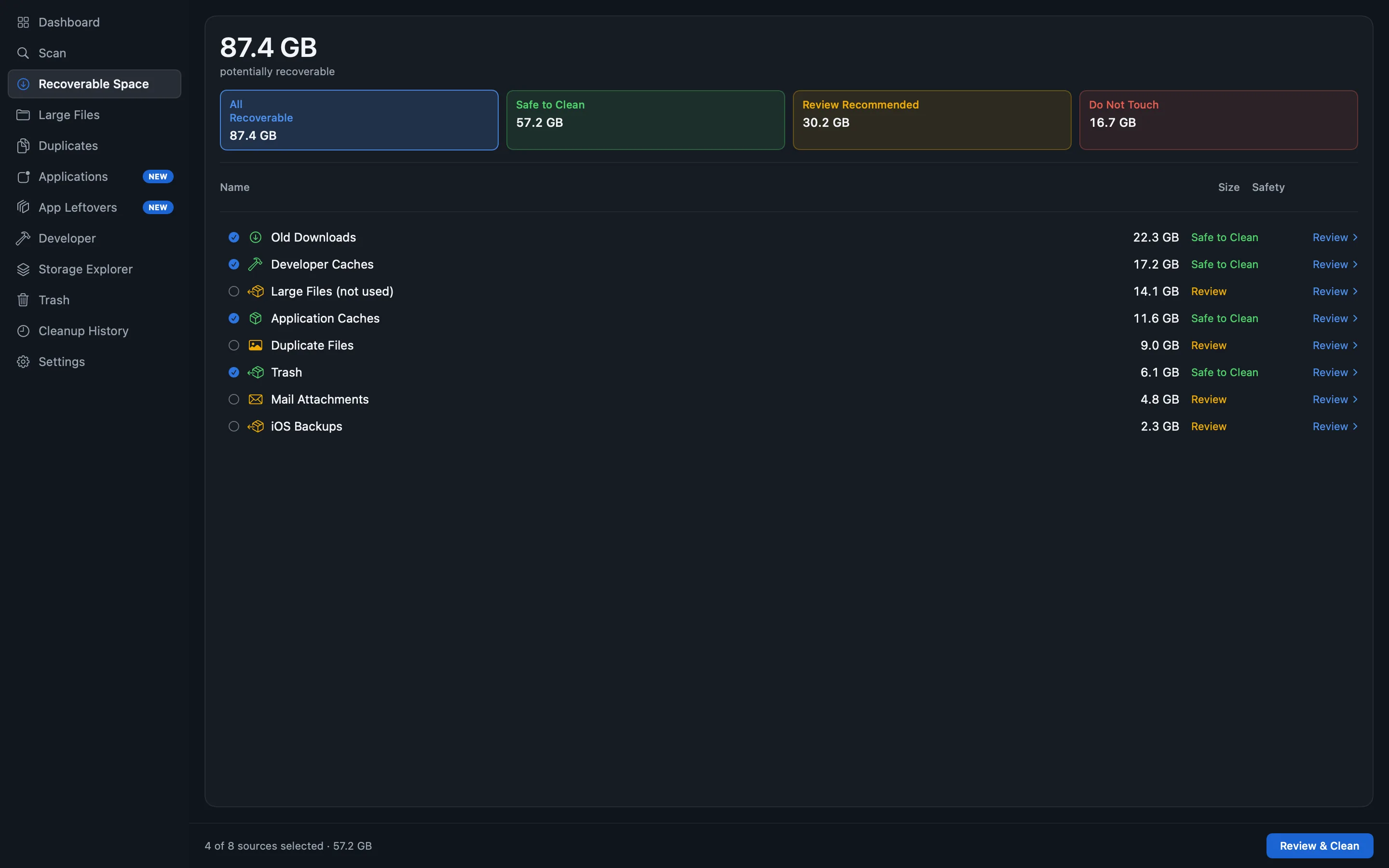
Every candidate for removal carries what it is, what it costs to lose, and how confident the app is. Protected items are shown and never selectable.
Removals are recorded in a ledger and can be restored from it. Undoing the app's own work is never a paid feature and never will be.
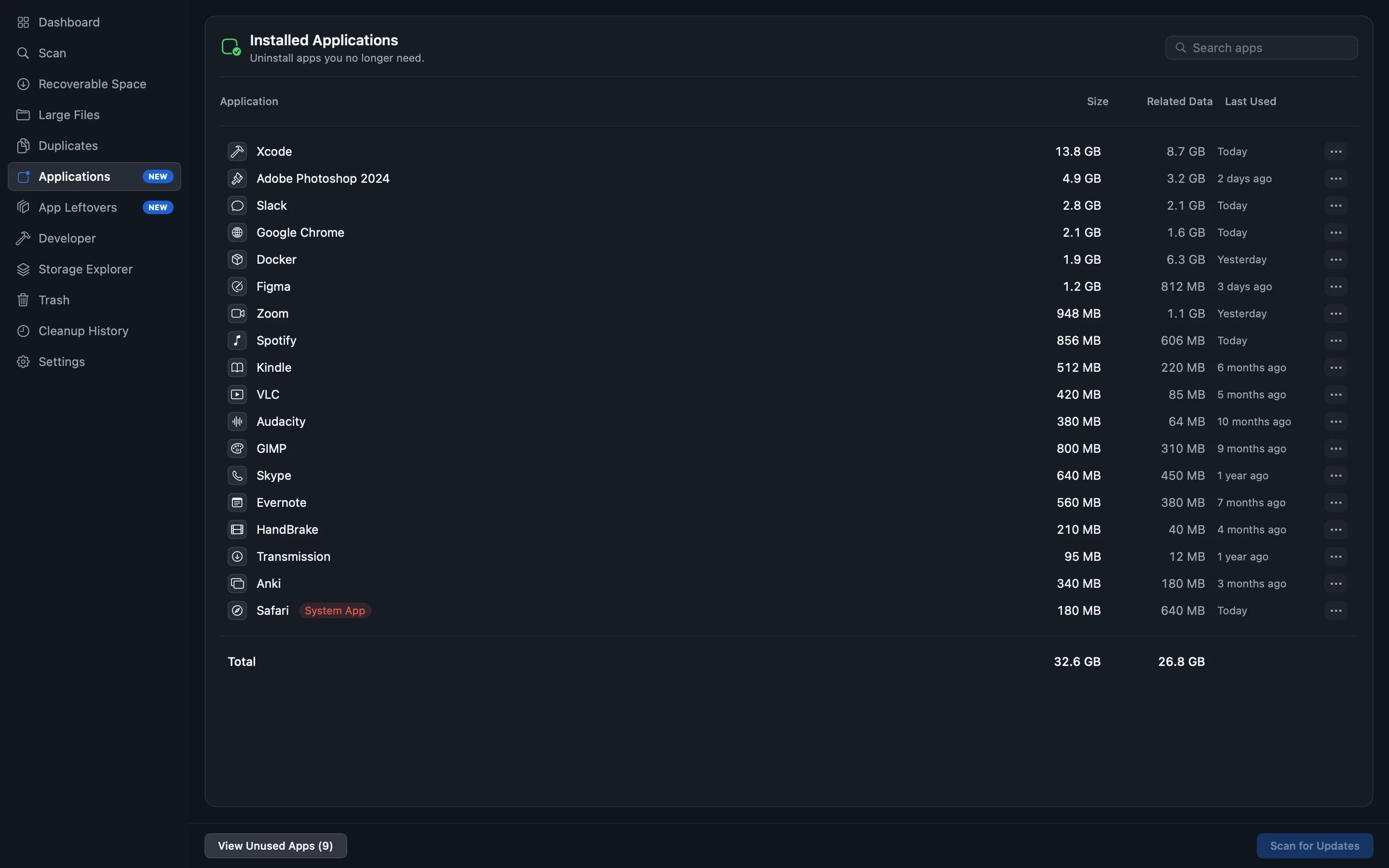
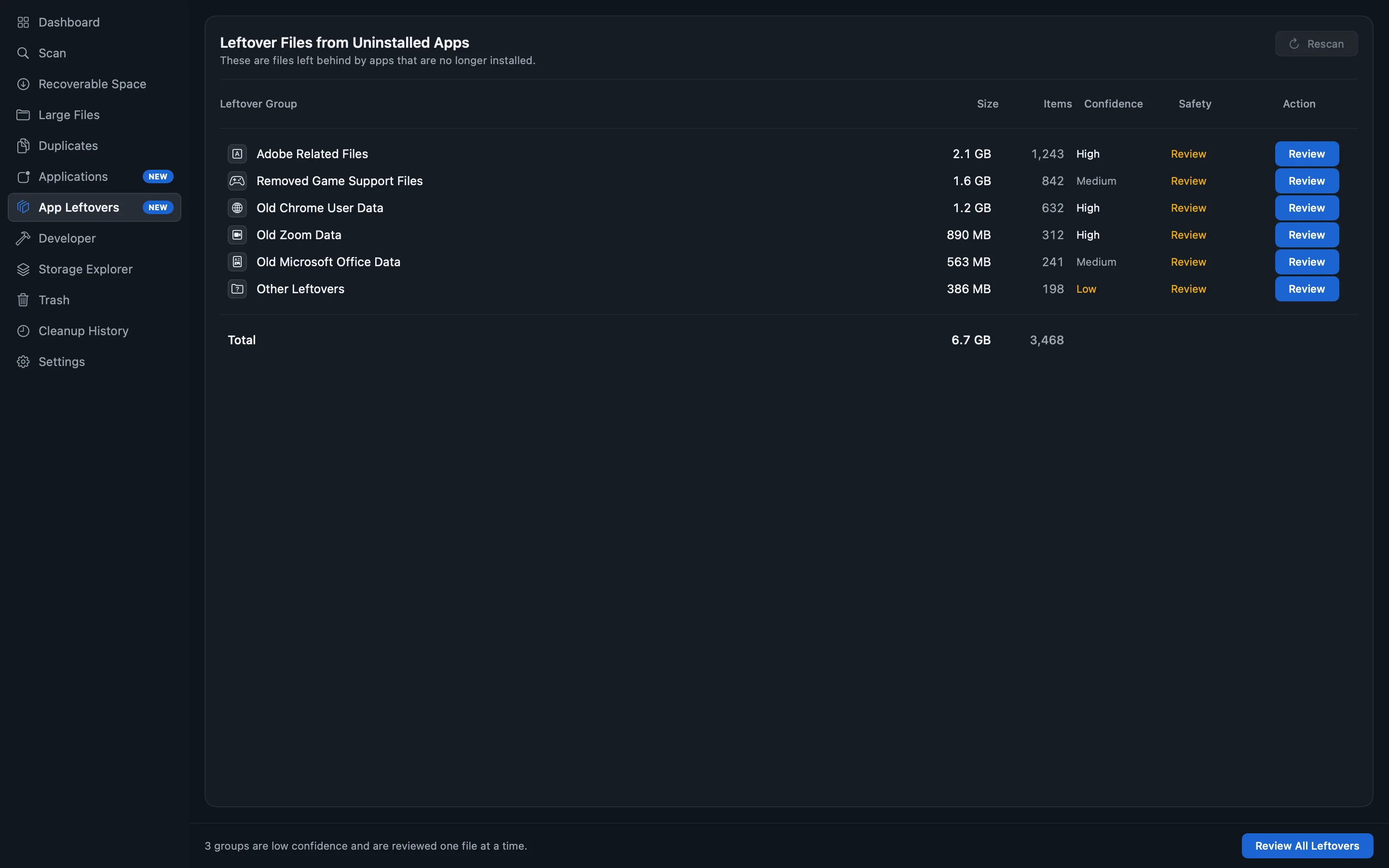
Uninstall an app together with its caches, containers and preferences — each one listed, each one reviewable, each one yours to keep or drop.
Sizes are measured, not estimated, and what the scan could not read is reported rather than quietly folded into "Other".
The app
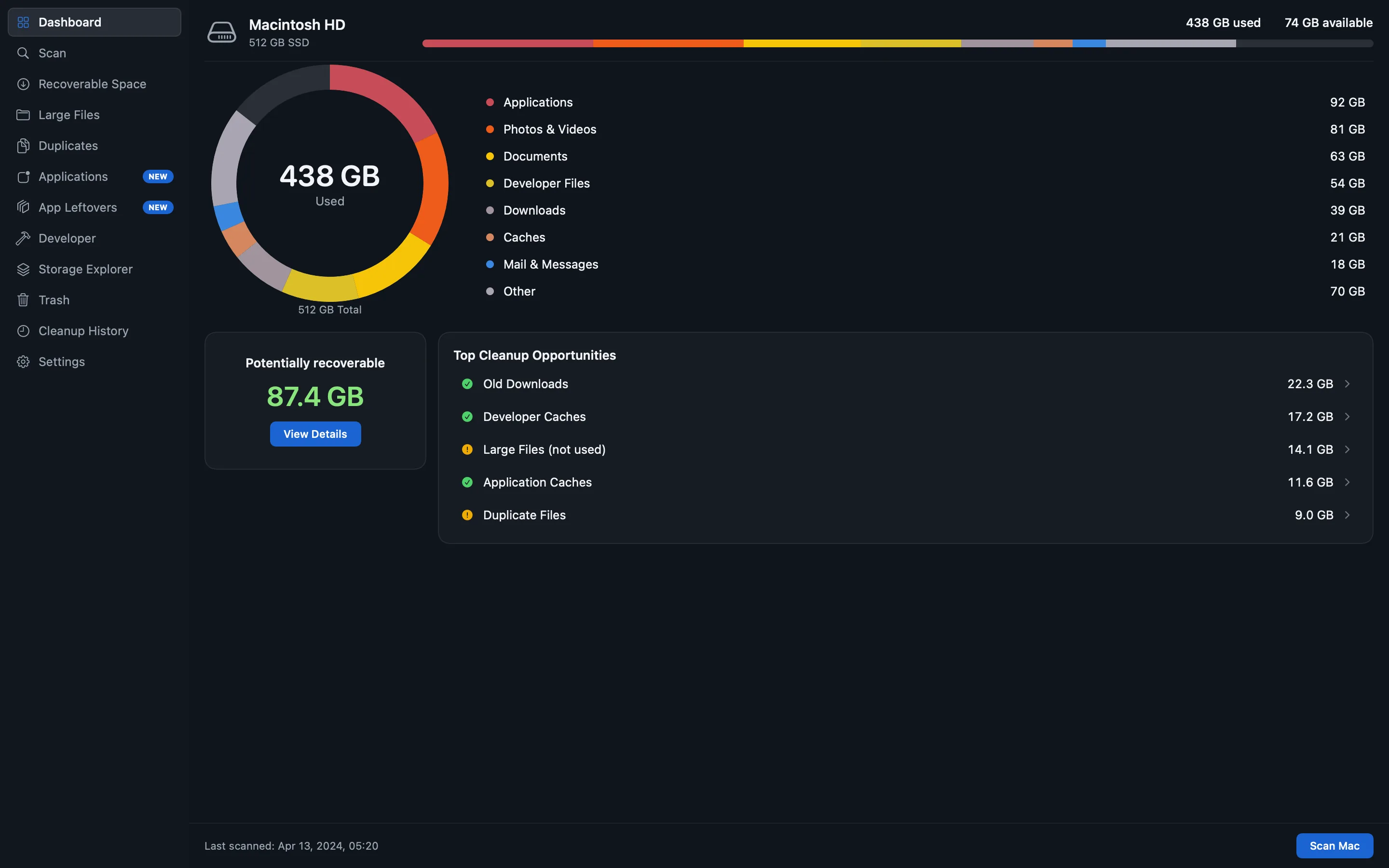
Five of them, from the direct build — the edition that can actually remove something. Click any to open it full size. The figures in them are sample data.
Two editions
The Mac App Store requires apps to run in a sandbox, and a sandboxed app cannot remove another app's files. Rather than ship a cleaner that quietly fails at cleaning, there are two builds and each is honest about what it is.
The full app. Signed and notarised by Apple, installed from a disk image.
The same scanner and the same screens, read-only. It measures the folders you choose and changes nothing.
Pricing
The whole measurement is free, permanently — every screen, every figure, and the cleaning of the safe and obvious things. Pro pays for the work that has to be maintained release after release.
$0
$49 one-time, lifetime
or $19 a year — $1.58 a month, billed annually
What you are buying, what lifetime covers, and what happens when an annual licence lapses →
Questions
Nothing is removed unless you select it and confirm it. Items the app considers unsafe to touch are shown but cannot be selected at all. Everything it does remove is recorded and can be restored. The App Store edition cannot remove anything under any circumstances — macOS enforces that, not our good intentions.
App Store apps must run in a sandbox, which blocks an app from touching another app's files. That makes cleaning and uninstalling impossible there. Rather than ship a crippled cleaner, the App Store edition is a read-only analyser and says so, and the full app is distributed directly, signed and notarised by Apple.
No. There is no account, no analytics, no crash reporting and no network access in either edition. What it measures stays on your Mac. See the privacy policy, which is short for exactly that reason.
Because macOS puts caches, logs and application support files behind that permission, and an app that cannot read them cannot tell you they exist. You grant it in System Settings, and you can revoke it at any time — the app keeps working with less to show.
It covers the app for as long as it is maintained, including future major versions — there is no upgrade fee planned. It is not a promise that any software runs forever on operating systems that have not shipped yet, and nobody honest can make that one. The exact terms are in the terms.
Nothing. Your files are yours and the app never holds them. Pro features stop; scanning, the treemap, cache and log cleaning, and restoring anything previously removed all keep working.